As an Amazon Associate I earn from qualifying purchases.
Last updated: November 9, 2026
If your lower back aches by mid-afternoon, your chair may be part of the problem. A seat that’s too deep, a backrest with no curve, or a chair stuck at one angle can leave your lower back working harder than it should. The best ergonomic chair for lower back pain is the one that fits your body and lets you change position through the day. This guide matches five chairs to five different needs, from adjustable lumbar support to a seat that slides to suit your legs. You’ll also find a lumbar pillow for the chair you already own, setup steps, and clear signs that it’s time to talk to a doctor.
Quick answer: The best ergonomic chair for lower back pain has lumbar support you can move to fit your lower back, a backrest that reclines and locks, and a seat height that lets your feet rest flat. Add adjustable seat depth if you're shorter or taller than average, and a wider seat for larger frames.
| Need | Pick |
|---|---|
| Targeted lower-back support | Adjustable lumbar chair TRALT Ergonomic Office Chair |
| Support that moves with you | Dynamic lumbar chair ELABEST X100 Ergonomic Mesh Chair |
| Thigh length that's not average | Adjustable seat depth ProtoArc EC200 Ergonomic Chair |
| Larger frames | Big and tall chair GTPLAYER Big and Tall Office Chair |
Why Your Chair Matters for Lower Back Pain
- Lumbar support in the wrong spot: if the curve sits too high or too low, it can't fill the hollow of your lower back, so a chair with adjustable lumbar support helps.
- Sitting still for hours: holding one position tends to build stiffness, so a backrest that reclines and locks makes it easier to shift.
- A seat that's too deep: you slide forward to bend your knees and lose contact with the backrest, which is where adjustable seat depth comes in.
- Dangling feet: when your feet don't reach the floor, your lower back loses a stable base, so a lower seat or footrest can help.
- A seat that's too narrow: perching on a cramped cushion pushes you into awkward positions, so larger frames do better on a wide big and tall chair.
Research and workplace guidance point the same way. The US National Institute of Arthritis and Musculoskeletal and Skin Diseases lists a desk job with poor posture or an uncomfortable chair among the things that can contribute to back pain, alongside low fitness and extra weight. OSHA’s workstation guidance adds the details: lumbar support that adjusts in height, a backrest that reclines at least 15 degrees and locks or adjusts tension, and a seat pan that adjusts for depth.
How We Picked
We chose five chairs that each match one specific lower-back need, such as adjustable lumbar support, seat depth or a lockable recline, based on the product type and the features stated on each Amazon listing. A chair can't treat back pain on its own, so treat these as tools for better sitting. Compare the listed height range and weight capacity with your build, and check recent reviews before you buy.
1. Chair with Adjustable Lumbar Support

Best for: Targeted lower-back support
A fixed lumbar bump only helps if it happens to match your spine. TRALT's lumbar support adjusts in depth, so you can press it further into the curve of your lower back or ease it off. The molded foam seat is designed to keep its shape rather than flatten, and the 17.3-inch seat depth aims to leave a small gap behind your knees.
- Lumbar support adjusts in depth
- High-resilience molded foam seat and mesh back
- Listed for users about 5'4" to 6'2", 330 lb capacity
Good to know: There's no headrest, so it suits upright typing more than leaning back for long calls.
How to use: Sit all the way back, then turn the lumbar depth until you feel gentle pressure in your lower back, not a push forward.
2. Chair with Dynamic Lumbar Support
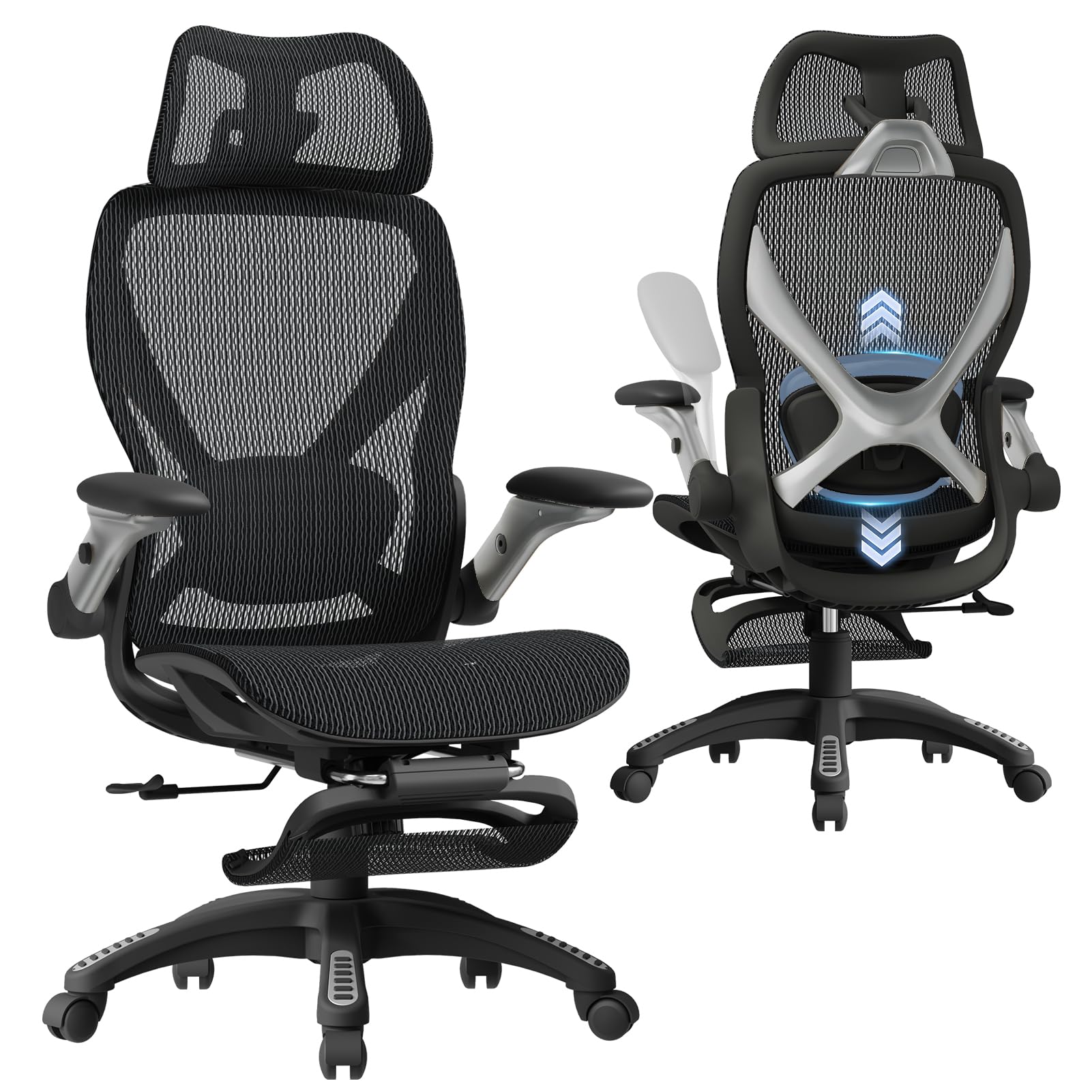
ELABEST X100 Ergonomic Mesh Chair
Best for: Support that moves with you
Most of us don't sit still, and a static lumbar pad can lose contact the moment you lean back. The ELABEST X100 uses spring-loaded lumbar support that adjusts in height and depth and tracks your movement as you shift. A three-stage recline and a pull-out footrest also make it easy to change position between tasks instead of staying locked upright.
- Spring-loaded 3D lumbar: depth, height and rotation
- Three-stage recline with an 18-inch extendable footrest
- 5D flip-up armrests and breathable mesh
Good to know: With a headrest, footrest and many adjustments, this is a large chair, so measure your space first.
How to use: Set the lumbar height first, then lean back in each recline stage to check the support still meets your lower back.
3. Chair with Adjustable Seat Depth
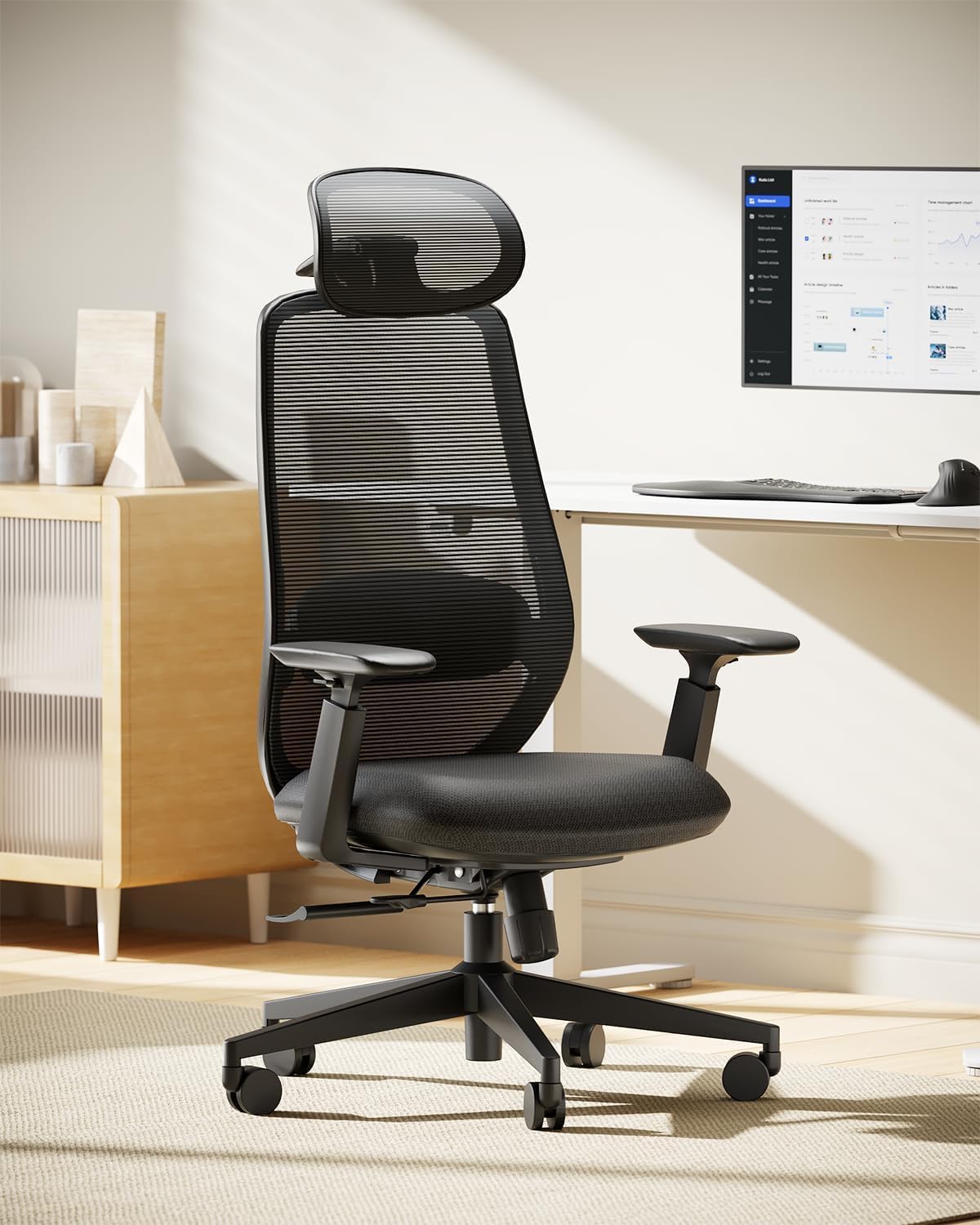
ProtoArc EC200 Ergonomic Chair
Best for: Fitting your thigh length
If the seat is too deep, you slide forward and the backrest stops supporting you, however good its lumbar is. The ProtoArc EC200 seat slides through five positions so your thighs stay supported while your back stays against the backrest. Its lumbar moves up, down and in, and the backrest locks at four angles with a tension knob.
- Seat depth slides through five positions
- Lumbar adjusts in height and depth
- Recline locks at 90, 105, 120 and 130 degrees
Good to know: The listing sizes it for users 5'4" to 6'0" and under 220 lb, so it suits average builds best.
How to use: Slide the seat until two to four fingers fit between its front edge and the back of your knees.
4. Big and Tall Chair with Lumbar Support
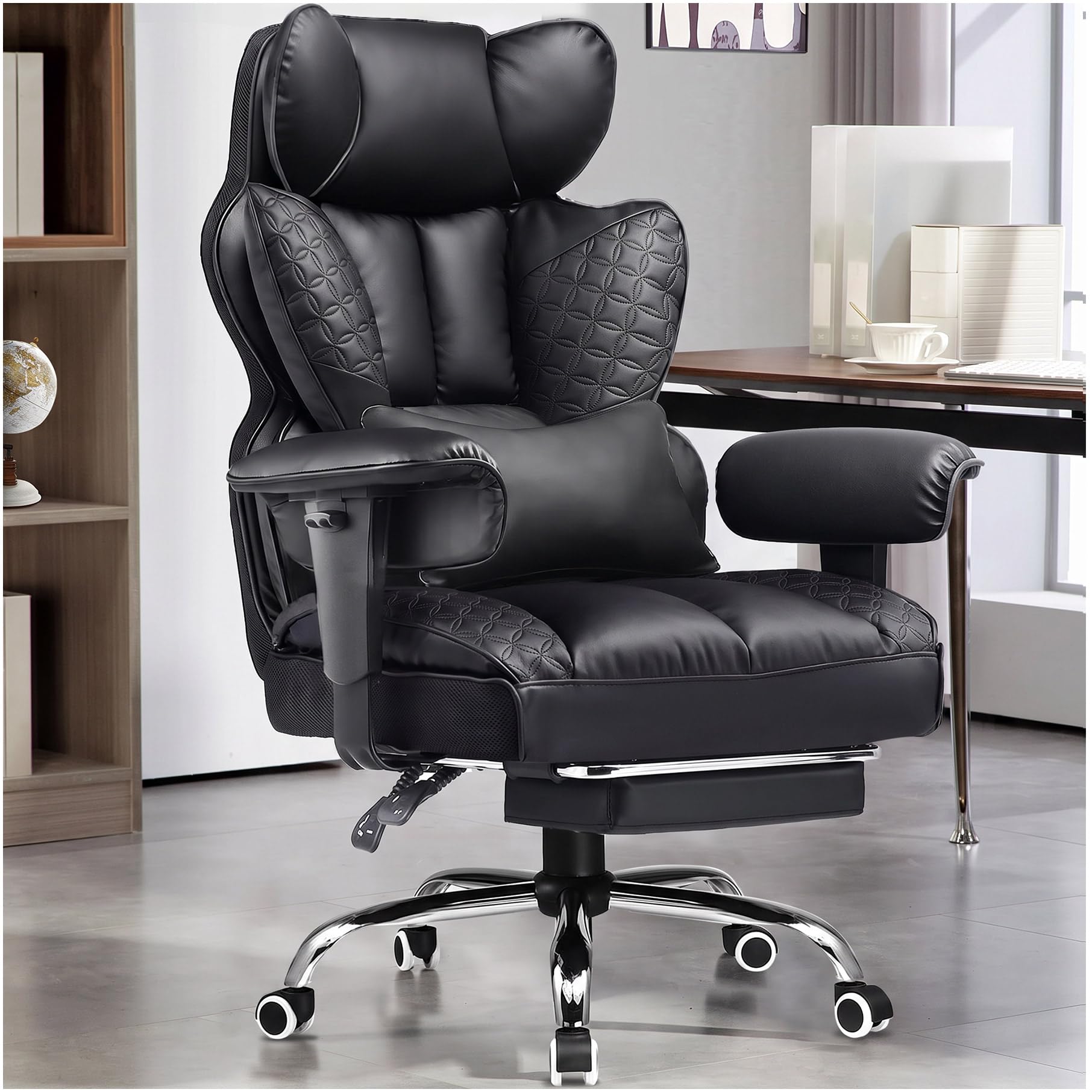
GTPLAYER Big and Tall Office Chair
Best for: Larger frames
A cramped seat pushes you to perch or twist, which is hard on a sore back. This big and tall chair has a 400-pound capacity, a wide padded seat, and side bolsters that wrap around your back. Pocket springs built into the lower backrest add lumbar support, and the backrest reclines from 90 to 135 degrees for breaks.
- 400 lb capacity with a wide seat
- Built-in pocket spring lumbar support
- Reclines from 90 to 135 degrees; includes a footrest
Good to know: The lumbar support is built in rather than adjustable, and the PU leather can feel warmer than mesh.
How to use: Raise the seat until your hips sit slightly above your knees, then recline every hour or so to change position.
5. Executive Chair with Tilt Lock

Best for: Switching between upright and reclined
Changing position often matters as much as sitting well. One lever on this executive chair locks the backrest upright for focused work, lets it recline to 115 degrees for reading, or switches on a gentle rocking mode. The contoured backrest follows an S-curve for steady lower back support, and the 90-degree flip-up arms let you tuck it under your desk.
- Lock at 90 degrees, recline to 115, or rock
- S-curve backrest with contoured lumbar
- Flip-up arms; 300 lb capacity
Good to know: The seat is 20.47 inches deep, which may feel long for shorter users.
How to use: Keep it locked upright while typing, then unlock the recline for calls and reading so your back gets a change.
Compare All Picks at a Glance
| Pick | Best for | What’s in it |
|---|---|---|
| TRALT Ergonomic Office Chair | Targeted lower-back support | Depth-adjustable lumbar, molded foam seat, mesh back |
| ELABEST X100 Ergonomic Mesh Chair | Support that moves with you | Spring-loaded 3D lumbar, mesh, headrest, footrest |
| ProtoArc EC200 Ergonomic Chair | Fitting your thigh length | Sliding seat depth, adjustable lumbar, four-angle recline lock |
| GTPLAYER Big and Tall Office Chair | Larger frames | Wide seat, pocket spring lumbar, PU leather, footrest |
| amseatec Executive Desk Chair | Switching between upright and reclined | Upright lock, recline, rocking mode, flip-up arms |
How to Set Up Your Chair for Lower Back Support
- Set the seat height so your whole foot rests on the floor and your knees sit about level with your hips.
- Sit all the way back, then adjust seat depth so a small gap remains behind your knees.
- Move the lumbar support until it fills the curve of your lower back, usually around belt level.
- Set the armrests so your shoulders stay relaxed and your elbows stay close to your body.
- Adjust tilt tension so leaning back feels supported, and recline now and then instead of sitting rigidly upright.
- Not ready to replace your chair? A strap-on pillow like the QUTOOL Lumbar Support Pillow adds a memory foam curve to an office chair or car seat. Its two straps hold it in place, and the mesh cover comes off for washing.
Mistakes to Avoid with a Sore Lower Back
- Buying for features you won't adjust: a chair only helps once it's set up for you.
- Choosing a seat that's too deep, so you perch on the front edge away from the backrest.
- Cranking the lumbar support so far forward that it pushes you into an arch.
- Sitting for hours without a break; stand up and move regularly.
- Expecting a chair alone to fix ongoing pain instead of getting it checked.
When to See a Doctor
A better chair may help you sit more comfortably, but it isn’t a treatment. See a doctor if back pain doesn’t improve after a few weeks of home care, stops you from doing everyday things, or comes with numbness, tingling or weight loss you can’t explain. The NHS advises urgent help if back pain comes with weakness or numbness in both legs, numbness around your genitals or bottom, or problems controlling your bladder or bowels.
Best Ergonomic Chair For Lower Back Pain FAQ
What type of chair is best for lower back pain?
Look for an ergonomic chair with lumbar support you can adjust to the curve of your lower back, a backrest that reclines and locks, and a seat height that lets your feet rest flat. Adjustable seat depth also helps you sit back fully against the backrest.
Is a mesh or padded chair better for back pain?
Either can work. What matters more is whether the lumbar support fits your back and the seat fits your legs. Mesh lets air through, which many people find cooler over long days, while padded seats feel softer. Choose the one you’ll sit back in comfortably.
Does a lumbar support pillow work as well as an ergonomic chair?
A lumbar pillow can add a supportive curve to a chair that lacks one, and it’s easy to move between chairs or into a car. It can’t change seat height, depth or recline, though, so a chair that fits you still offers more adjustment.
How long should I sit before taking a break?
There’s no single rule, but changing position often helps. Many people set a reminder to stand, stretch or walk every 30 to 60 minutes. Staying active day to day is also part of looking after your back, so build movement into your routine.
Your Shopping Checklist
- Chair with Adjustable Lumbar Support: TRALT Ergonomic Office Chair
- Chair with Dynamic Lumbar Support: ELABEST X100 Ergonomic Mesh Chair
- Chair with Adjustable Seat Depth: ProtoArc EC200 Ergonomic Chair
- Big and Tall Chair with Lumbar Support: GTPLAYER Big and Tall Office Chair
- Executive Chair with Tilt Lock: amseatec Executive Desk Chair
Start with the need that matches your pain. If the support never meets your back, choose adjustable lumbar. If you slide forward, choose seat depth. If you sit for hours, choose a chair that makes it easy to recline and change position. Then take ten minutes to set it up properly, keep moving through the day, and pay attention to how your back feels after a week.
Sources
- Back Pain, National Institute of Arthritis and Musculoskeletal and Skin Diseases (NIAMS)
- Computer Workstations eTool: Chairs, Occupational Safety and Health Administration (OSHA)
- Back pain, NHS