As an Amazon Associate I earn from qualifying purchases.
Last updated: November 19, 2026
If your workday is one long stretch of sitting, a walking pad can change that without taking time away from your to-do list. These slim treadmills slide under a standing desk so you can stroll through emails, calls and reading, then roll them away when you’re done. Picking a walking pad under desk use means thinking about noise, speed, weight capacity and how much space you have. Below are four picks for different needs, a desk that raises your work surface to walking height, and simple setup tips so you can walk comfortably while you work.
Quick answer: A good walking pad under desk setup pairs a quiet, slim treadmill that runs at about 1 to 2 mph with a desk at elbow height. Choose a simple flat pad for slow walking, an incline model for harder breaks, side rails for stability, or a heavy-duty pad for larger users.
| Need | Pick |
|---|---|
| Slow walking while you work | Simple flat walking pad Compact Walking Pad with Remote |
| Quiet calls and harder breaks | Quiet walking pad with incline FOUSAE Walking Pad with 10% Incline |
| Extra stability | Walking pad with side rails Superun 6% Incline Walking Pad |
| Larger users | 450 lb heavy-duty walking pad 450 lb Auto-Incline Walking Pad |
Why Walk While You Work
- Break up sitting: a flat walking pad lets you move gently during tasks that don't need full focus.
- Use calls well: a quiet motor means you can walk through meetings without distracting anyone.
- Add challenge on breaks: an incline pad turns a lunch break into a tougher walk.
- Feel steadier: side rails give you something to hold when stepping on and off.
- Save space: slim pads slide under a bed, sofa or desk when the workday ends.
How We Picked
We picked four walking pads that suit desk use in different ways: slow and simple, quiet with incline, extra support, and high weight capacity. Each choice is based on what its Amazon listing says about motor, noise, speed, incline, capacity and size. We haven't tested these treadmills ourselves, so check recent customer reviews, especially for noise and durability.
Simple Flat Walking Pad: Easy Strolling While You Type
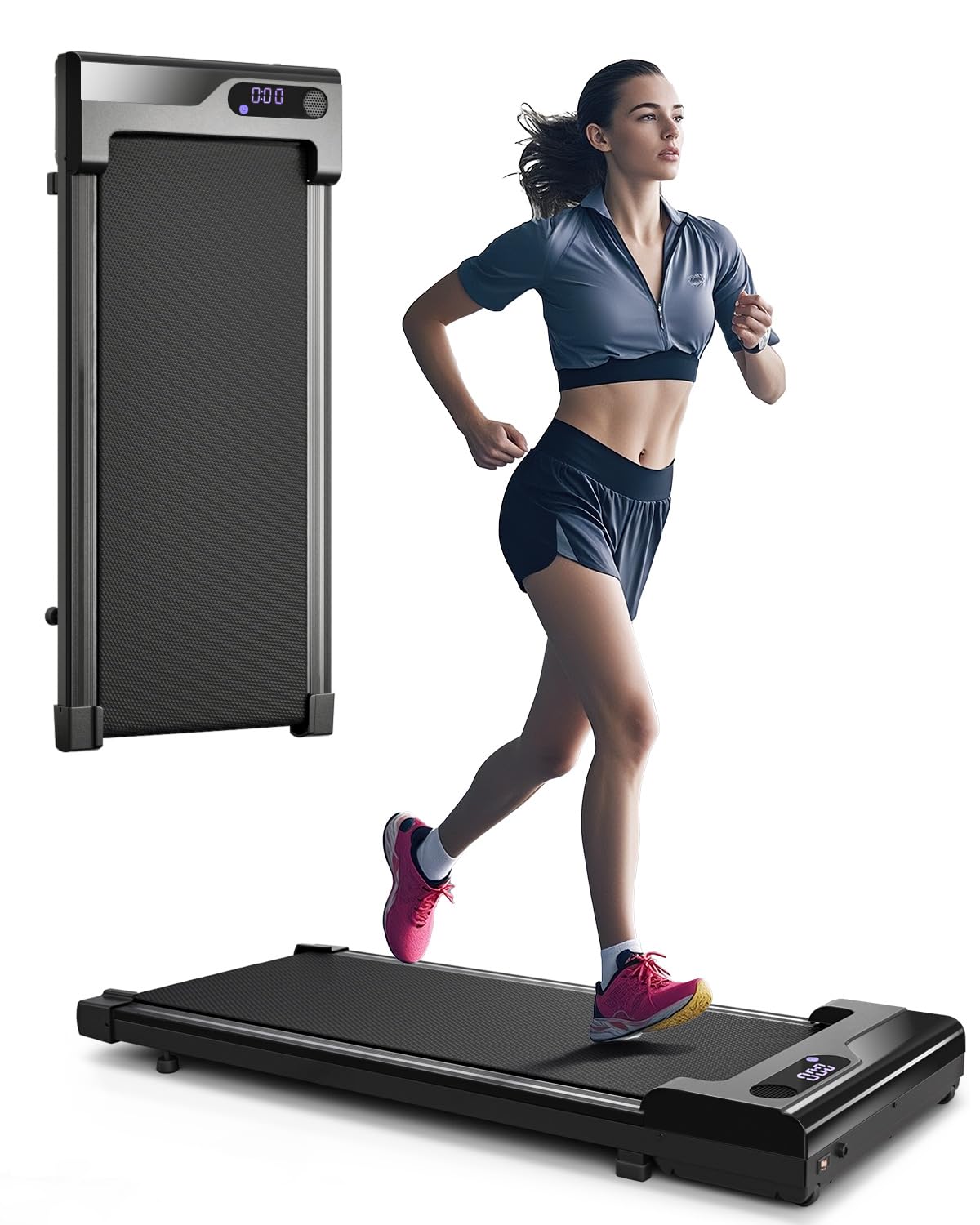
Compact Walking Pad with Remote
Best for: Slow, steady walking while you work
If you mainly want to stroll while answering emails, a simple flat pad does the job. This one runs from 1 to 6 km/h, about 0.6 to 3.7 mph, on a 2.5HP motor with noise-reduction technology. It arrives ready to use, adjusts by remote, and at about 16kg with transport wheels it slides under a bed or sofa after work.
- 2.5HP motor, 1-6 km/h speed range
- 38.5 x 94 cm walking area, 5-layer anti-slip belt
- No assembly, remote control and LED display
Good to know: It has no incline and tops out around 3.7 mph, so it's made for walking rather than jogging.
How to use: Start around 1.5 to 2 km/h while typing, and save faster speeds for breaks when you're away from the keyboard.
Quiet Walking Pad With Incline: Calls by Day, Workouts on Breaks
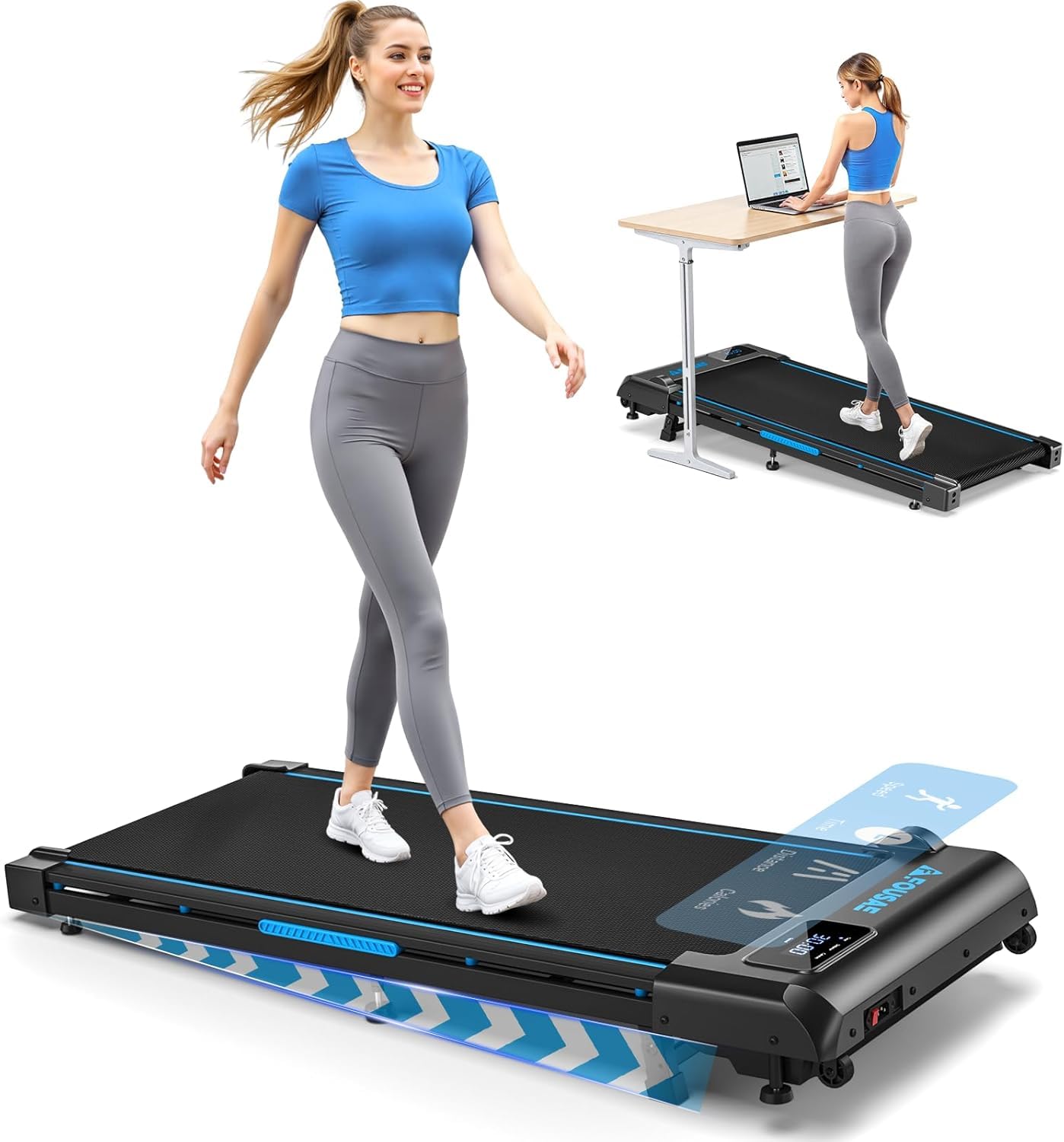
FOUSAE Walking Pad with 10% Incline
Best for: Quiet calls and harder workouts
FOUSAE's walking pad runs under 40 dB on a 2.75HP brushless motor, which suits video calls in a shared office. Its speed range covers a working pace of 0.6 to 1.5 mph, normal walking and jogging up to 6.2 mph, and a 10% incline adds challenge on breaks. It supports up to 350 lbs, with a double frame and a 40 x 16 inch belt.
- Brushless 2.75HP motor, under 40 dB
- 0.6-6.2 mph with 10% incline
- 350 lb capacity, 40 x 16 inch belt
Good to know: Jogging speeds are for breaks only; stay in the 0.6 to 1.5 mph working range while you type.
How to use: Walk flat at about 1 mph during calls, then try one of the 12 HIIT programs on your lunch break.
Walking Pad With Side Rails: Something to Hold On To

Superun 6% Incline Walking Pad
Best for: Extra stability
Many walking pads have nothing to hold on to. Superun adds support on both sides, from front to back, so there's something to reach for if you misstep. It runs from 0.6 to 3.8 mph with a 6% incline, holds up to 300 lbs, weighs 35 lbs and has a 3.94-inch profile. The listing puts noise at under 45dB.
- Side supports on both sides, front to back
- 6% incline, 0.6-3.8 mph, 300 lb capacity
- 35 lbs, 3.94-inch profile, no assembly
Good to know: The side rails need room, so measure the gap between your desk legs before ordering.
How to use: Use the side rails to step on and off safely, then let go and walk upright once the belt is moving at a steady pace.
Heavy-Duty Auto-Incline Walking Pad: Built for 450 lbs
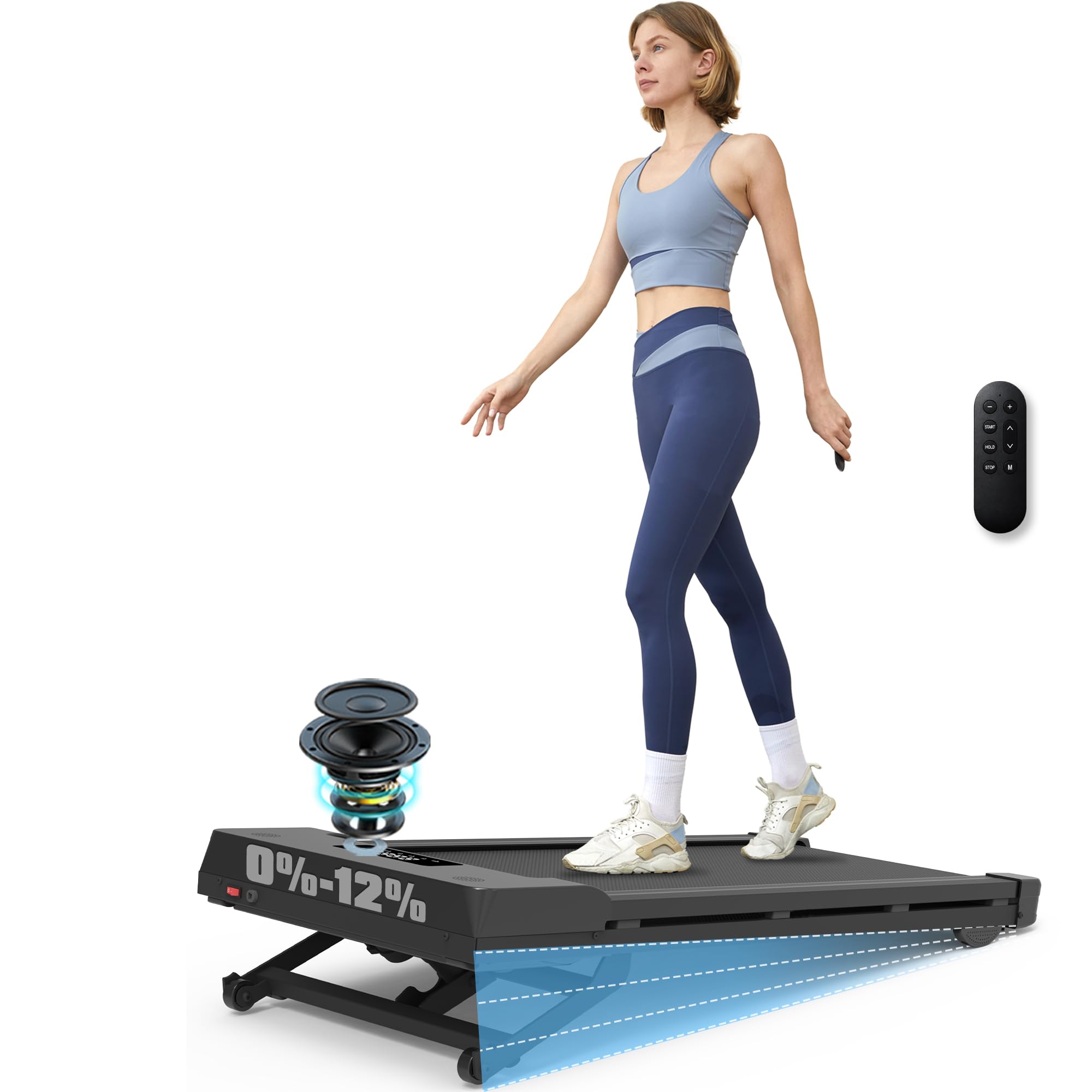
450 lb Auto-Incline Walking Pad
Best for: Larger users
For larger users, or anyone who wants a sturdier deck, this pad has a reinforced steel frame rated for 450 lbs. A 9-level auto incline goes up to 12%, speeds reach 5.0 mph, and its 2.5HP motor is described as whisper-quiet. Bluetooth connects to the FitYo app for subscription-free courses, and a 3-year warranty is included.
- Reinforced steel frame, 450 lb capacity
- 9-level auto incline up to 12%, 5.0 mph max
- FitYo app, Bluetooth speaker, 3-year warranty
Good to know: The brand notes calorie readings are sensor-based estimates, so treat them as a rough guide.
How to use: Keep it flat while typing, then raise the incline a few levels during calls or reading for a tougher walk.
Compare All Picks at a Glance
| Pick | Best for | What’s in it |
|---|---|---|
| Compact Walking Pad with Remote | Slow walking while working | 2.5HP, 0.6-3.7 mph, flat, remote, no assembly |
| FOUSAE Walking Pad with 10% Incline | Quiet calls, harder breaks | 2.75HP brushless, under 40 dB, 10% incline, 350 lbs |
| Superun 6% Incline Walking Pad | Extra stability | Side rails, 6% incline, 300 lbs, under 45dB |
| 450 lb Auto-Incline Walking Pad | Larger users | Steel frame, 450 lbs, 12% auto incline, app |
How to Set Up a Walking Pad Under Desk
- If you don't have a standing desk yet, a Mobile Standing Desk with Wheels is a simple start: it adjusts from 31 to 43 inches and rolls on four lockable wheels, so you can park it over the pad and lock it in place.
- Stand on the pad and set the desk so your elbows bend at about 90 degrees when typing. Remember the pad adds a few inches of height.
- Raise your screen so the top sits near eye level and you aren't looking down.
- Leave a little space between the front of the pad and the desk so your feet don't clip anything.
- Plug the pad straight into a wall outlet and keep the cord out of the walking path.
- Start with 20 to 30 minute sessions at a slow pace, then build up over a few weeks.
Choosing the Right Walking Pad for Your Desk
Start with how you’ll use it. If you mostly want gentle movement during emails, a flat pad with a top speed around 3 to 4 mph is all you need. If you also want a real workout on breaks, look for incline and a higher top speed. For video calls, check the listed noise level and choose a brushless or quiet motor, since a whine in the background is the first thing colleagues notice.
Next, check the numbers that matter for safety and comfort: weight capacity, belt size and the space under your desk. A wider, longer belt feels more natural, while a high capacity frame tends to feel steadier underfoot. Finally, think about storage. If the pad has to move every evening, a lighter model with wheels is far easier to roll under a bed or sofa.
Mistakes to Avoid With a Desk Walking Pad
- Walking too fast to type accurately. Slow down to 1 to 2 mph for focused work.
- Setting the desk at sitting height and hunching over the keyboard.
- Using an extension cord or running the cord across the walking path.
- Jumping straight into all-day walking instead of building up slowly.
- Skipping belt care. Follow the manual for belt alignment and lubrication.
Walking Pad Under Desk FAQ
Can you really work on a walking pad?
Many people can handle email, calls and reading at a slow pace of around 1 to 2 mph. Detailed typing or design work is harder, so start with short sessions and simple tasks, then build up as you get comfortable.
What speed should I use on an under-desk walking pad?
Most people find 1 to 2 mph comfortable while working. FOUSAE describes 0.6 to 1.5 mph as its working range. Save faster speeds and incline for breaks, when you’re not typing or reading closely.
How loud is a walking pad?
It varies by model. The FOUSAE pad lists under 40 dB and the Superun under 45 dB. A mat underneath and a slow speed help keep noise down for calls and for anyone living below you.
Do I need a standing desk for a walking pad?
You need a surface at about elbow height while standing on the pad. A standing desk, a desk converter or a mobile stand-up desk all work. Remember the pad itself adds a few inches of height.
Your Shopping Checklist
- Simple Flat Walking Pad: Compact Walking Pad with Remote
- Quiet Walking Pad With Incline: FOUSAE Walking Pad with 10% Incline
- Walking Pad With Side Rails: Superun 6% Incline Walking Pad
- Heavy-Duty Auto-Incline Walking Pad: 450 lb Auto-Incline Walking Pad
A walking pad under your desk is one of the easiest ways to add movement to a busy workday. Choose a simple flat pad for slow strolling, a quiet incline pad for calls and tougher breaks, side rails for extra stability, or a heavy-duty frame if you need a higher weight capacity. Set your desk to elbow height, start slow, and let the steps add up.