As an Amazon Associate I earn from qualifying purchases.
Last updated: November 9, 2026
A chair that feels fine for an hour can feel very different by hour eight. Heat builds up, a thin cushion flattens, and sitting in one fixed position starts to wear on your neck, back and legs. If you’re looking for an ergonomic chair for long hours, the features to look for are the ones that keep you comfortable and help you move: a breathable back, a seat that holds its shape, adjustments that fit your body, and a backrest that reclines. This guide matches five chairs to five different needs, then walks you through setup and the small habits that make long workdays easier on your body.
Quick answer: The best ergonomic chair for long hours combines adjustable lumbar support, a breathable mesh back, a seat cushion that holds its shape and a backrest that reclines and locks. Add a headrest if you lean back often, seat depth adjustment for a closer fit, and adjustable arms so your shoulders stay relaxed.
| Need | Pick |
|---|---|
| Leaning back between tasks | High-back mesh with headrest NEO CHAIR High-Back Mesh Office Chair |
| A cushioned seat | Memory foam seat GTPLAYER PU Leather Office Chair |
| Fine-tuning your fit | 6D arms and sliding seat Marsail Ergonomic Chair with 6D Armrests |
| Shifting position often | Recline with nap footrest FLEXISPOT ErgoX Ergonomic Chair |
Why Long Hours Need a Different Chair
- Heat builds up: a solid padded back traps warmth, so a breathable mesh back helps over a full day.
- Cushions flatten: thin foam bottoms out by afternoon, so look for memory foam or high-density foam.
- Your neck tires: if you lean back to read or think, a headrest gives your neck somewhere to rest.
- Small misfits add up: a seat that's slightly too deep or arms that are too high feel worse each hour, so more adjustment pays off.
- Staying still is the real problem: a backrest that reclines and locks makes it easy to change position through the day.
OSHA’s workstation chair guidance backs up those priorities. It recommends lumbar support that adjusts in height, a backrest that reclines at least 15 degrees and either locks or adjusts in tension, a seat pan that adjusts in depth, and armrests that let your shoulders relax with your elbows close to your body.
How We Picked
We chose five chairs that each solve one problem that shows up during long sitting sessions, such as heat, a flattening cushion or limited adjustment. Picks were based on the product type and the features stated on each Amazon listing. Compare each chair's listed height range and weight capacity with your own build, and read recent reviews before you decide.
1. High-Back Mesh Chair with Headrest

NEO CHAIR High-Back Mesh Office Chair
Best for: Leaning back between tasks
Long days usually include reading, calls and a few minutes of thinking time, and a headrest makes leaning back far more restful. The NEO CHAIR pairs a high mesh back and headrest with a waterfall seat, which curves down at the front edge to ease pressure behind your knees. Armrests, tilt and height all adjust, and the arms flip up.
- High-back elastic mesh with headrest
- Waterfall seat edge
- Flip-up armrests; BIFMA-certified materials
Good to know: The listing doesn't mention adjustable lumbar support, so check the backrest shape suits your back.
How to use: Lean back during calls and reading so the headrest takes the weight of your head instead of your neck muscles.
2. Mid-Back Mesh Chair
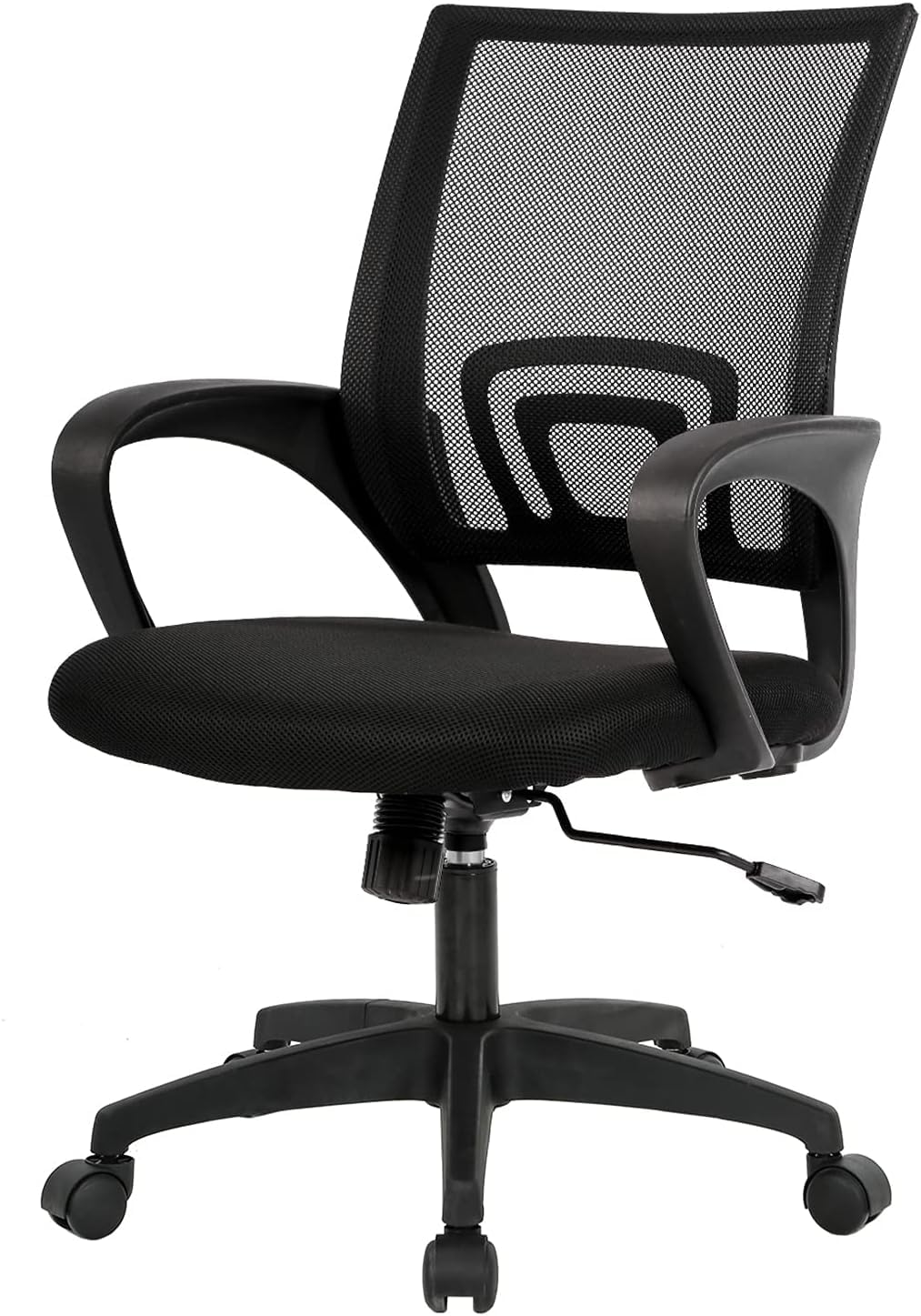
BestOffice Mid-Back Mesh Desk Chair
Best for: A light, breathable budget chair
Sometimes the simplest upgrade is a cooler back. This mid-back chair has a fully ventilated mesh back with built-in lumbar support, ergonomic armrests and a high-density seat cushion. It's a light, uncomplicated option for a spare-room desk or a second workspace, and it assembles in about 10 to 15 minutes with the hardware included.
- 100% ventilated mesh back with lumbar support
- High-density seat cushion
- Seat height 17.1 to 20.3 inches; 250 lb capacity
Good to know: It has fewer adjustments than the other picks, with no headrest or recline lock listed.
How to use: Pair it with regular breaks, standing every hour or so, since a simple chair offers fewer ways to shift position.
3. Memory Foam Seat Chair
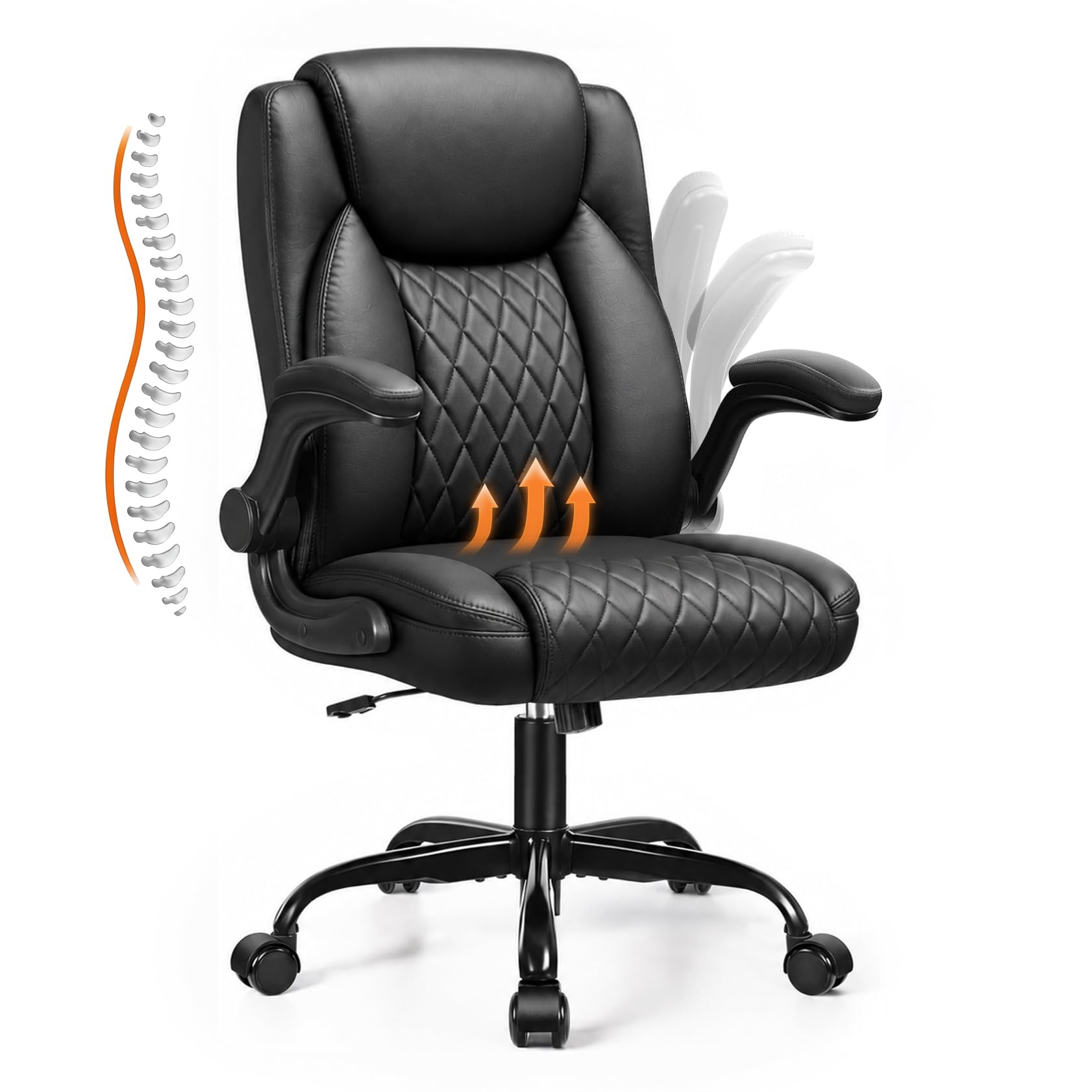
GTPLAYER PU Leather Office Chair
Best for: A cushioned seat
If a firm seat leaves you shifting by mid-afternoon, a memory foam cushion may suit you better. This GTPLAYER chair sits on memory foam supported by elastic webbing, with built-in lumbar support and a winged mid-back. The PU leather has a breathable diamond-stitched center panel, and the padded arms flip up so you can push the chair flush with your desk.
- Memory foam seat on elastic webbing
- Built-in lumbar and winged mid-back
- Flip-up arms; tilt-and-lock; 300 lb capacity
Good to know: PU leather can still feel warmer than full mesh, even with the breathable center panel.
How to use: Set the height so your thighs rest level on the cushion, and use the tilt lock to hold a slight recline.
4. Chair with Adjustable Arms and Seat Depth
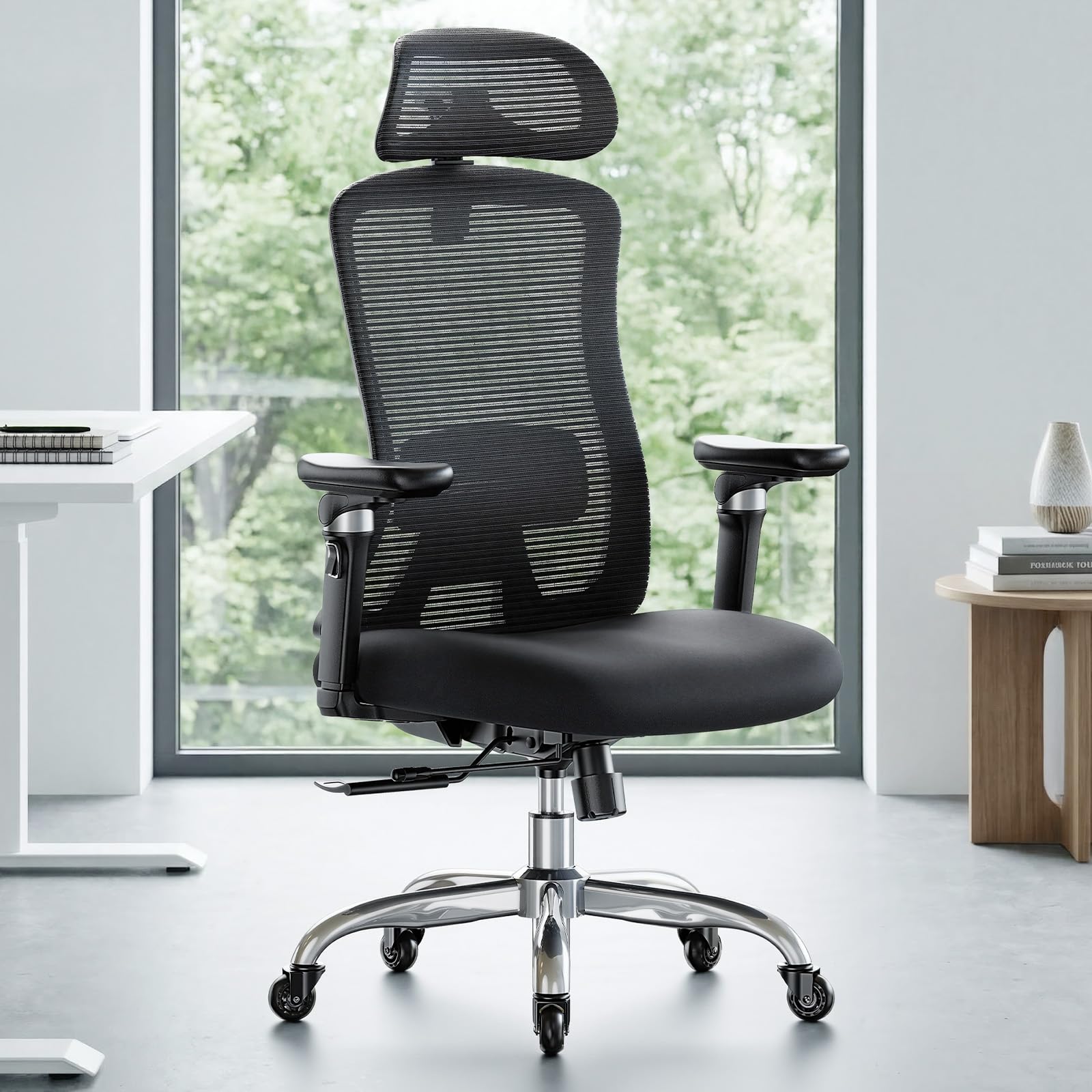
Marsail Ergonomic Chair with 6D Armrests
Best for: Fine-tuning your fit
The longer you sit, the more small misfits matter. This Marsail chair has a sliding seat to adjust depth for your thighs, 6D armrests that move up, down, forward, back and rotate, and a 3D headrest. Targeted lumbar support sits behind a mesh back, and a four-position tilt lock holds you upright or reclined.
- Sliding seat depth and 6D armrests
- 3D adjustable headrest and lumbar support
- 4-position tilt lock; 330 lb capacity
Good to know: All those adjustments take a little time to set up, so plan a few minutes after assembly.
How to use: Start with seat depth, then set the arms level with your desk, and finish with the headrest height.
5. Reclining Chair with Tilt Tension
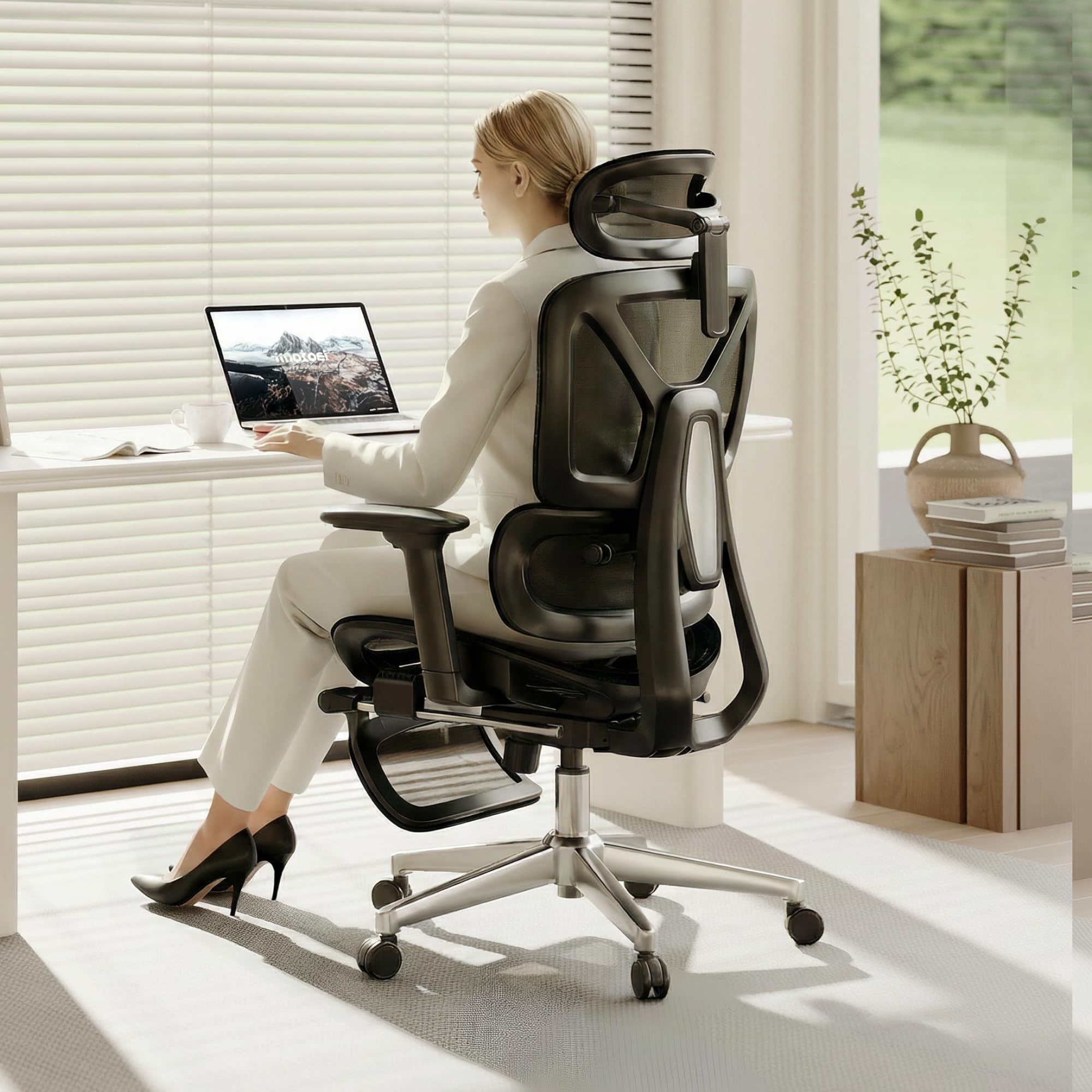
FLEXISPOT ErgoX Ergonomic Chair
Best for: Shifting position often
This is the most complete chair here for people who sit nearly all day. The ErgoX combines adjustable seat depth, dynamic lumbar support, a backrest with five levels of adjustment, a 3D headrest and a nap footrest for real breaks. The listing gives a fit range of 5'1" to 6'2" and a 400-pound limit, with a mesh or foam seat option.
- Seat depth 17 to 20 inches; dynamic lumbar
- 3D headrest, 3D armrests and nap footrest
- Listed for 5'1" to 6'2", 400 lb limit
Good to know: The lowest seat height is 20.1 inches, so shorter users may need a footrest to keep their feet supported.
How to use: Recline and use the footrest for a few minutes between tasks, then return upright for focused work.
Compare All Picks at a Glance
| Pick | Best for | What’s in it |
|---|---|---|
| NEO CHAIR High-Back Mesh Office Chair | Leaning back between tasks | High mesh back, headrest, waterfall seat, flip-up arms |
| BestOffice Mid-Back Mesh Desk Chair | A light budget chair | Ventilated mesh back, built-in lumbar, high-density cushion |
| GTPLAYER PU Leather Office Chair | A cushioned seat | Memory foam seat, PU leather, built-in lumbar |
| Marsail Ergonomic Chair with 6D Armrests | Fine-tuning your fit | Sliding seat, 6D arms, 3D headrest, mesh back |
| FLEXISPOT ErgoX Ergonomic Chair | Shifting position often | Seat depth, dynamic lumbar, headrest, nap footrest |
How to Stay Comfortable in Your Ergonomic Chair for Long Hours
- Set the seat height so your feet rest flat and your knees sit about level with your hips.
- Adjust seat depth, if you can, so a small gap remains behind your knees.
- Move the lumbar support into the curve of your lower back.
- Set the armrests so your shoulders relax and your elbows stay close to your body.
- Lock a slightly reclined angle for typing and a deeper one for reading or calls.
- Stand up, stretch or walk for a few minutes at least once an hour.
Mistakes That Make Long Days Harder
- Sitting bolt upright all day instead of using the recline.
- Choosing a thick padded back if you tend to run warm.
- Ignoring the armrests, so your shoulders hunch up by evening.
- Treating a footrest or recline as a reason to skip breaks.
- Choosing a chair with no adjustments you actually need.
Ergonomic Chair For Long Hours FAQ
What makes a chair good for sitting long hours?
Look for lumbar support that fits your lower back, a seat cushion that holds its shape, a breathable back, adjustable arms and a backrest that reclines and locks. Seat depth adjustment and a headrest add comfort if you sit for most of the day.
Is mesh or foam better for long hours?
Mesh lets air through, so many people find a mesh back cooler for full workdays. A memory foam or high-density foam seat feels softer under you. Many chairs combine both, with a mesh back and a cushioned seat, which suits a lot of people.
How often should I take breaks from sitting?
There’s no fixed rule, but many people aim to stand, stretch or walk for a few minutes every 30 to 60 minutes. Changing position in your chair helps too, so use the recline and adjust how you sit through the day.
Do I need a footrest on an office chair?
A built-in footrest is mainly for resting during breaks. For working, what matters is that your feet rest flat. If they don’t reach the floor once your seat is at desk height, a separate under-desk footrest gives them stable support.
Your Shopping Checklist
- High-Back Chair with Headrest: NEO CHAIR High-Back Mesh Office Chair
- Mid-Back Mesh Chair: BestOffice Mid-Back Mesh Desk Chair
- Memory Foam Seat Chair: GTPLAYER PU Leather Office Chair
- Chair with Adjustable Arms and Seat Depth: Marsail Ergonomic Chair with 6D Armrests
- Reclining Chair with Tilt Tension: FLEXISPOT ErgoX Ergonomic Chair
For long workdays, the right chair is the one that keeps you cool, supported and willing to move. Pick the feature that solves your biggest problem, whether that’s heat, a flat cushion or a fit that’s never quite right, and choose the chair built around it. Then set it up carefully and build regular breaks into your day.
Sources
- Computer Workstations eTool: Chairs, Occupational Safety and Health Administration (OSHA)