As an Amazon Associate I earn from qualifying purchases.
Last updated: November 9, 2026
Some workdays need a reset button. A chair with a pull-out footrest lets you lean back, put your feet up and rest for a few minutes without leaving your desk. The catch is that plenty of footrest chairs look comfortable but skimp on the adjustments that matter while you work. A good ergonomic chair with footrest should support you upright first, with lumbar support, a seat that fits and adjustable arms, and recline comfortably second. This guide compares five picks matched to different needs, from staying cool in mesh to roomier seats for larger frames, and shows how to use the footrest without slipping into bad habits.
Quick answer: The best ergonomic chair with footrest supports you upright first, with adjustable lumbar support, adjustable arms and a seat height that lets your feet rest flat while working. Then look for a backrest that reclines and locks, and a retractable footrest that tucks away. Choose mesh to stay cool, or a wider seat for larger frames.
| Need | Pick |
|---|---|
| All-round work and rest | Ergonomic chair with footrest Ergonomic Office Chair with Footrest and Lumbar Support |
| Staying cool | Mesh chair with footrest GABRYLLY Mesh Office Chair with Footrest |
| Deep recline breaks | Reclining big and tall chair COMHOMA Big and Tall Reclining Chair |
| Sitting cross-legged | Chair with flip-out arms Big and Tall Office Chair with Flip Armrests |
Why Choose a Chair with a Footrest
- Real breaks at your desk: a reclining backrest with a footrest lets you rest between tasks, which suits an all-round ergonomic chair.
- Long days in a warm room: footrest chairs are often padded, so a mesh version keeps air moving.
- Reading and gaming: a deep recline and a padded headrest suit a reclining big and tall chair.
- Larger frames: a wider seat and a higher weight capacity make room to shift, which is what big and tall models offer.
- Easy cleaning: a PU leather seat wipes clean, which suits busy home offices.
One thing to keep in mind: a built-in footrest is for resting, not for working. OSHA’s workstation chair guidance says a chair’s height is right when the whole sole of your foot can rest on the floor, and suggests a separate footrest for stable support if the seat can’t be lowered enough. It also recommends lumbar support that adjusts in height and a backrest that reclines and locks or adjusts in tension.
How We Picked
We picked five chairs with a built-in footrest, each matched to a different need such as mesh airflow, deep recline or a high weight capacity. Choices were based on the product type and the features stated on each Amazon listing. Compare the listed seat height, weight capacity and recline range with your build and space, and read recent reviews before you buy.
1. Ergonomic Chair with Footrest
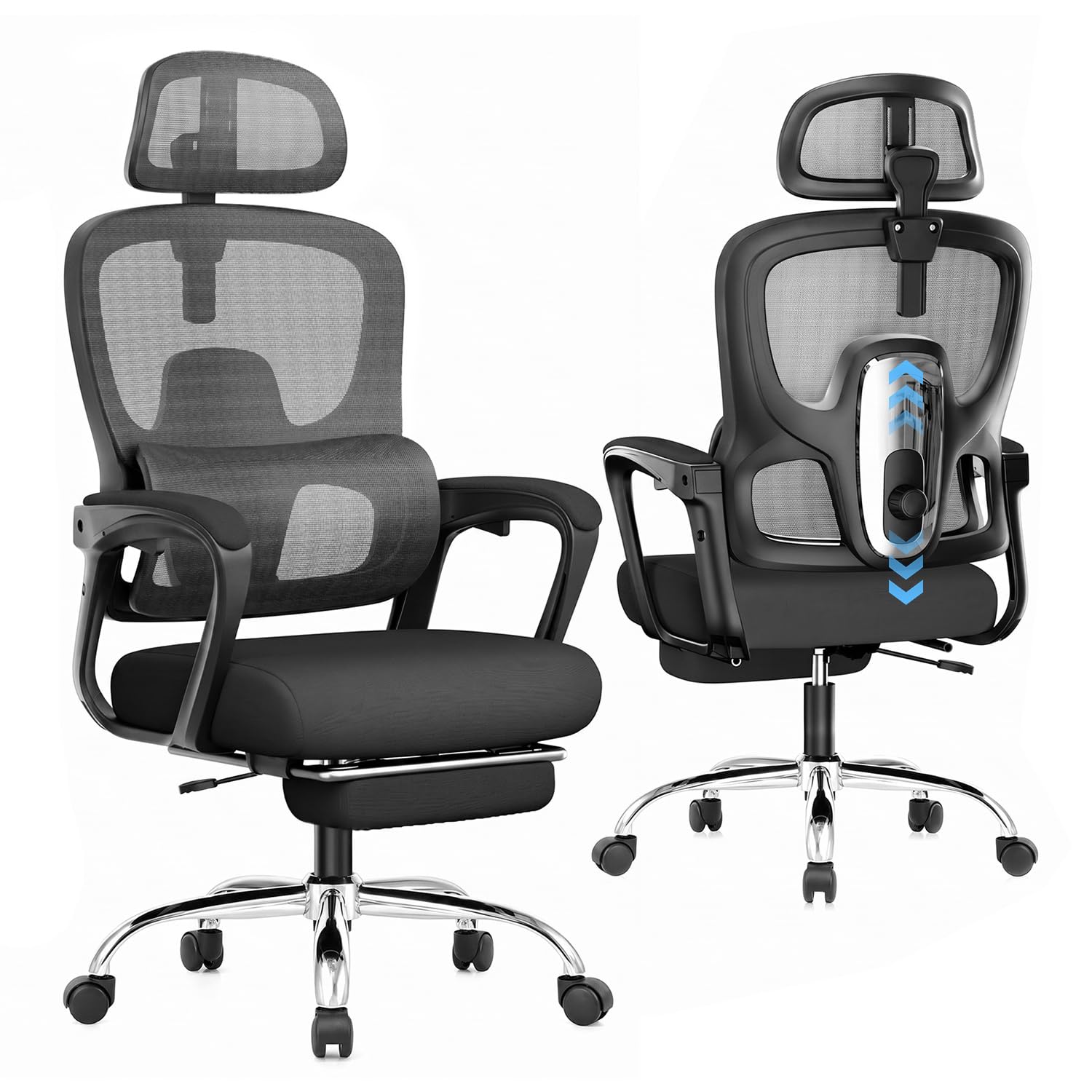
Ergonomic Office Chair with Footrest and Lumbar Support
Best for: All-round work and rest
This chair gets the working posture right before it reclines. The lumbar support adjusts 2 inches vertically and 1.5 inches in depth, the armrests adjust in height and angle, and the seat uses high-density foam under a mesh back. When it's time for a break, the backrest locks anywhere from 90 to 145 degrees and a padded footrest pulls out.
- Lumbar adjusts 2 inches up-down and 1.5 inches deep
- Locks from 90 to 145 degrees; retractable footrest
- 350 lb capacity; Class 4 gas cylinder
Good to know: The listing doesn't mention a headrest, so deeper recline leaves your head unsupported.
How to use: Set the lumbar for upright typing first, then recline and pull out the footrest only for short breaks.
2. Mesh Chair with Footrest
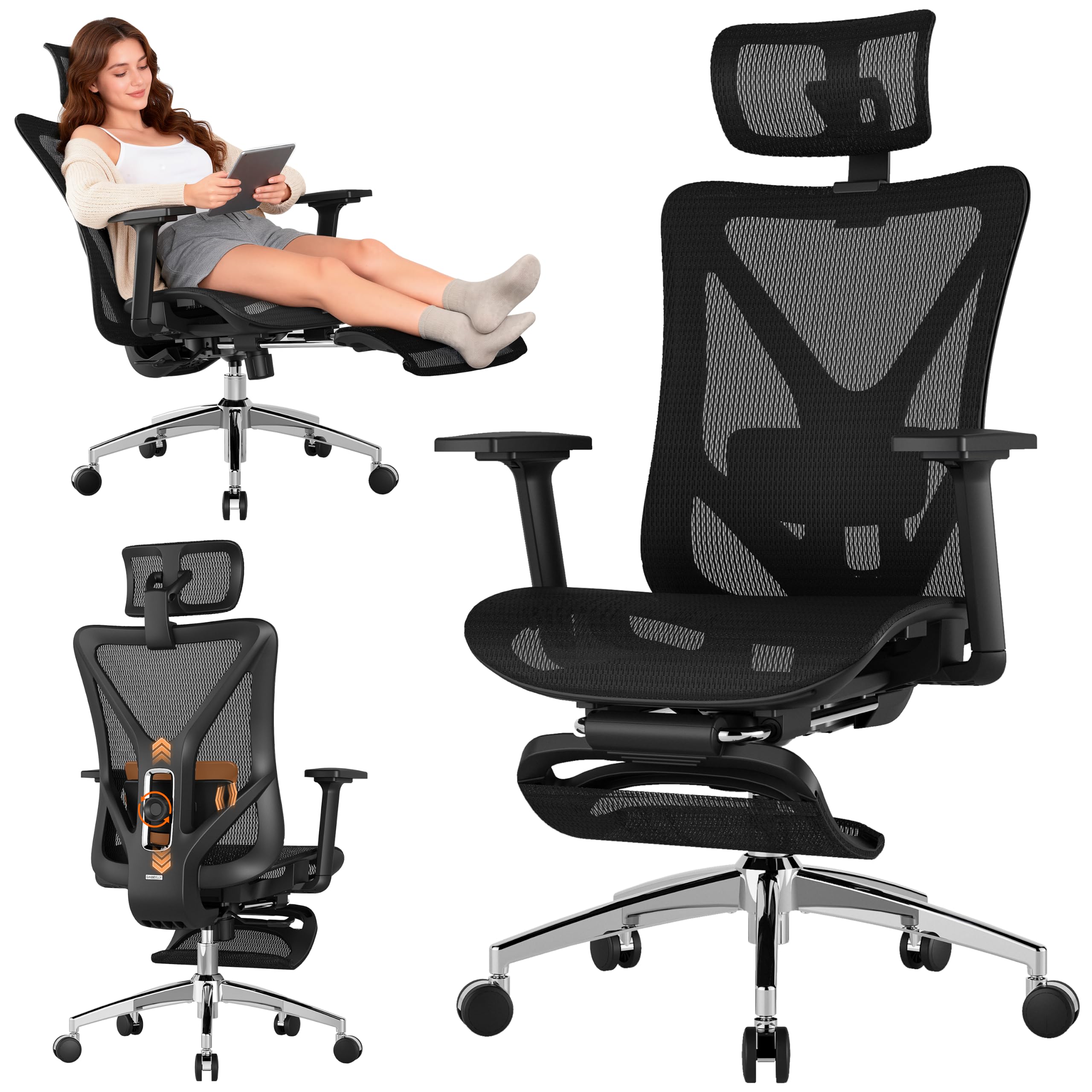
GABRYLLY Mesh Office Chair with Footrest
Best for: Staying cool
Padded footrest chairs can get warm by afternoon, so an all-mesh design is a good fit if you run hot. GABRYLLY's chair locks at 90, 110 or 135 degrees and has a steel footrest that extends up to 18.1 inches. The lumbar adjusts 3 inches vertically and 1.6 inches horizontally, and both the 3D armrests and the mesh headrest adjust.
- All-mesh design with adjustable headrest
- Lumbar adjusts 3 inches vertically, 1.6 horizontally
- Steel footrest extends up to 18.1 inches
Good to know: Its listed capacity is 300 lb, lower than the big and tall picks below.
How to use: Lock it at 110 degrees for calls, then go to 135 with the footrest out when you take a proper rest.
3. Reclining Big and Tall Chair with Footrest
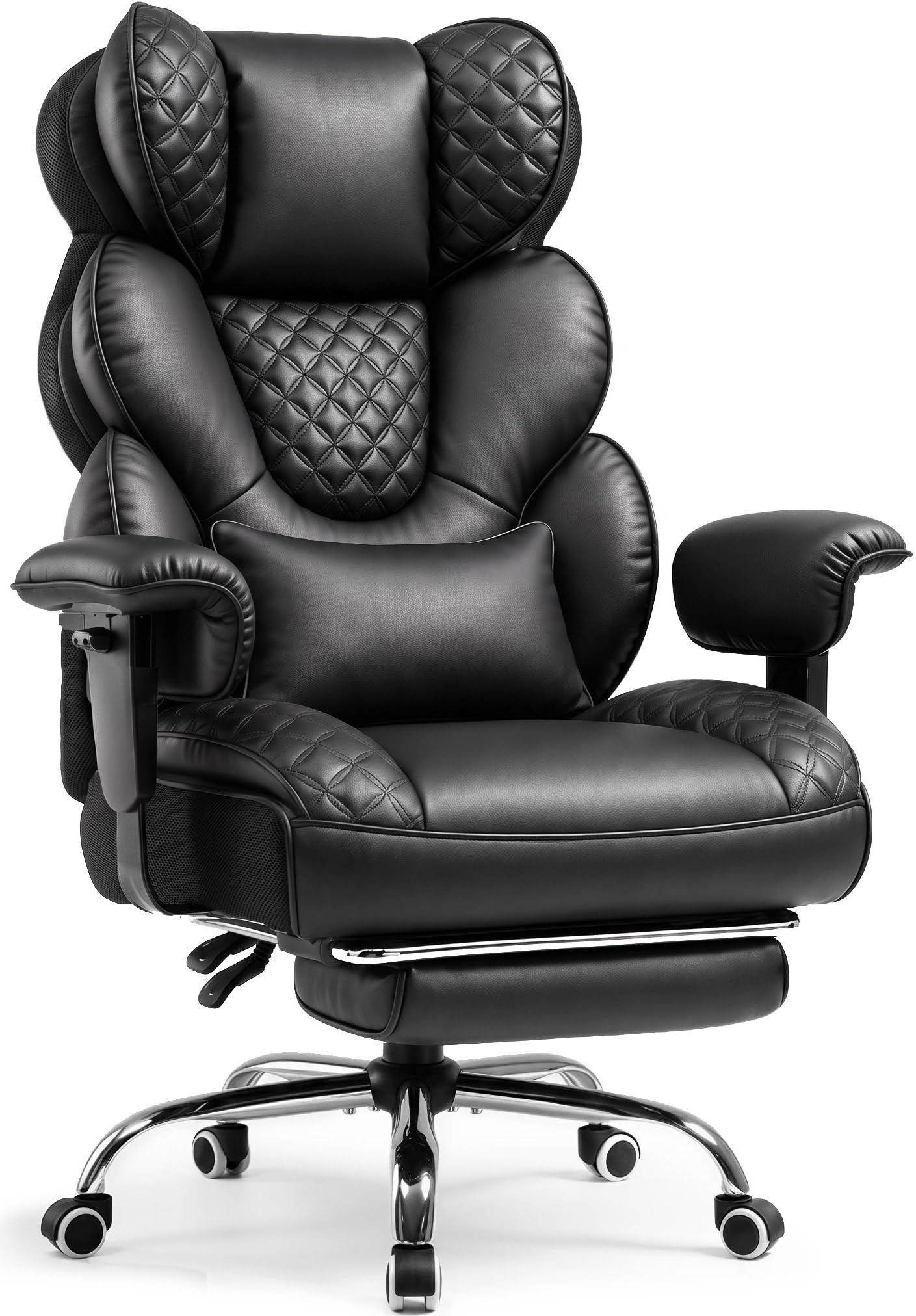
COMHOMA Big and Tall Reclining Chair
Best for: Deep recline breaks
If you like to really lean back for reading, gaming or a short nap, this chair has the deepest recline here, from 90 to 150 degrees. A wide padded headrest cradles your head, the side wings support your back, and pocket spring lumbar support adapts as you move. Breathable mesh panels sit within the diamond-stitched leather to help with heat.
- Reclines from 90 to 150 degrees with hidden footrest
- Pocket spring lumbar and wide padded headrest
- Leather with mesh panels; Class-4 gas lift
Good to know: The lumbar support is built in rather than adjustable, so check the shape suits your back.
How to use: Keep the backrest near upright for desk work, and save the full recline and footrest for breaks away from the keyboard.
4. Big and Tall Chair with Flip-Out Arms
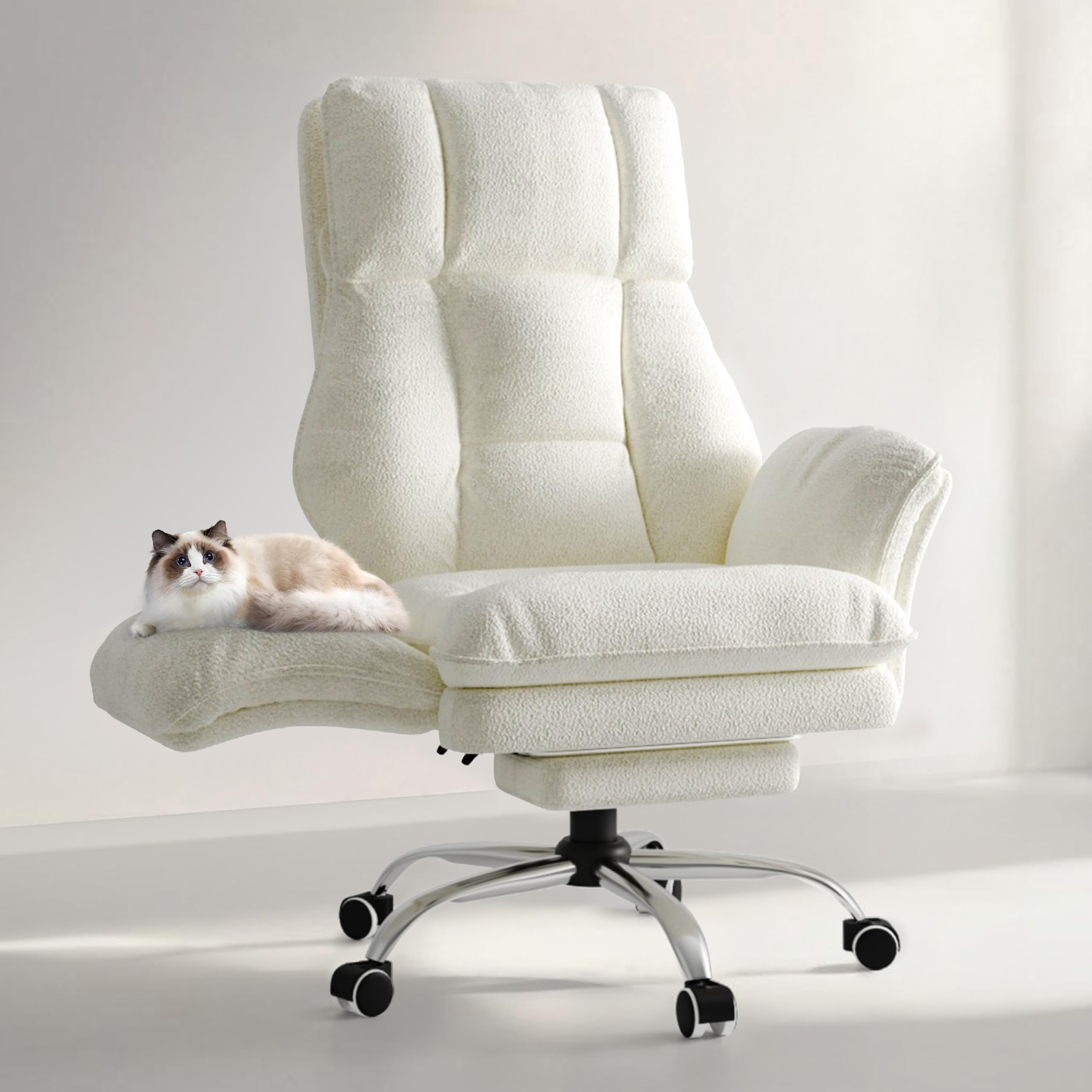
Big and Tall Office Chair with Flip Armrests
Best for: Sitting cross-legged
Not everyone sits with both feet on the floor all day. This big and tall chair has armrests that flip outward, giving you room to sit cross-legged, stretch out or share the seat with a pet. A pocket spring seat with high-density foam spreads your weight, and the pull-out footrest and adjustable high back switch it from work to relaxing.
- Armrests flip outward for more room
- Pocket spring seat with high-density foam
- Pull-out footrest; 400 lb capacity
Good to know: Lumbar adjustment isn't described in the listing, and upholstery varies by the color you choose.
How to use: Flip the arms out when you want to sit cross-legged, then return them upright for typing so your forearms are supported.
5. Executive Leather Chair with Footrest
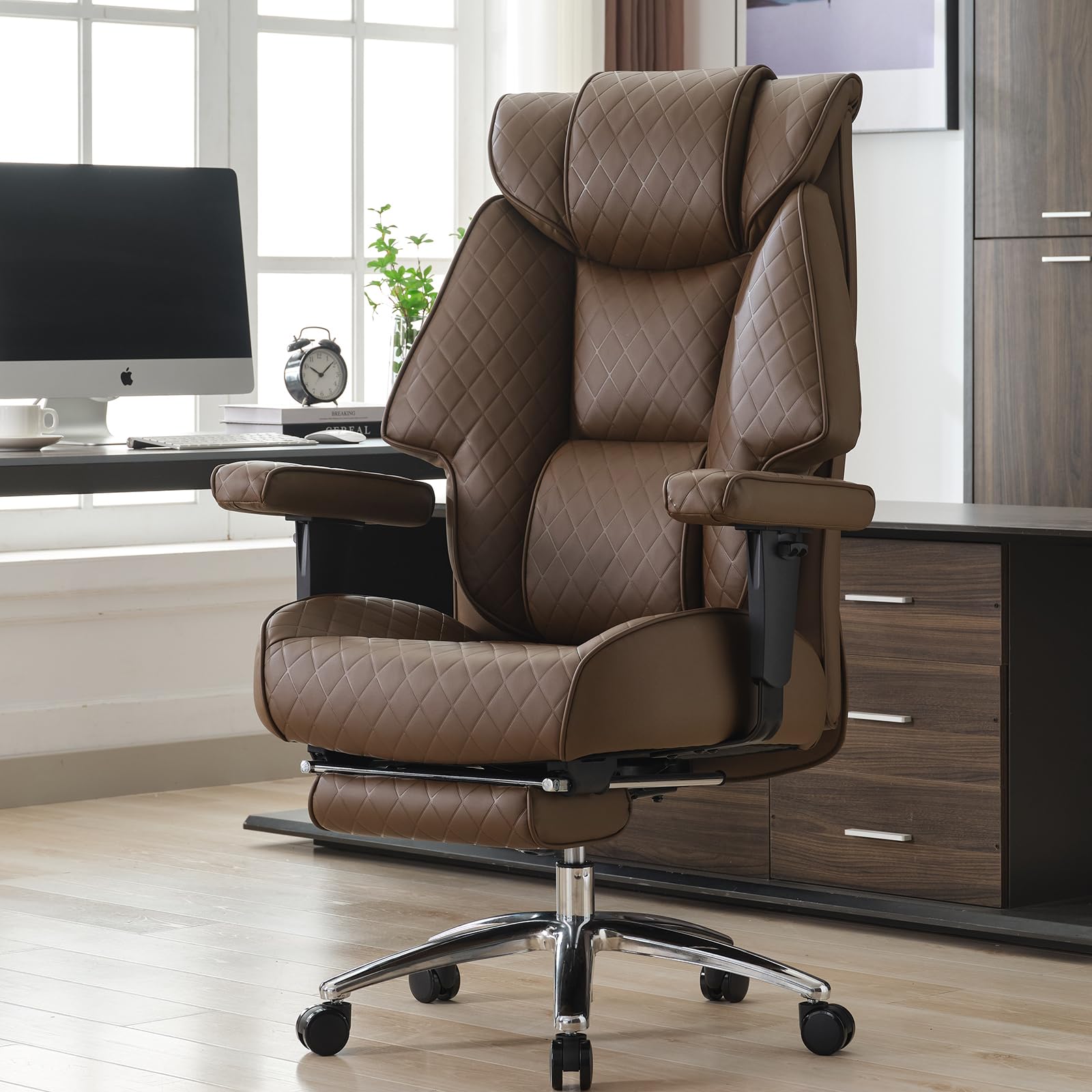
EXCEBET Big and Tall Executive Chair
Best for: A padded, wipe-clean seat
For a more traditional executive look, this EXCEBET chair is upholstered in embossed PU leather that resists stains and wipes clean. The seat has springs built into high-density sponge and is wide enough to sit cross-legged. It holds 400 pounds, tilts back to 135 degrees, and a retractable footrest pulls out from under the seat.
- Embossed PU leather with spring-sponge seat
- Tilts to 135 degrees; retractable footrest
- 400 lb capacity; seat height 18-7/8 to 22 inches
Good to know: PU leather can feel warm in summer, so it suits cooler rooms better than mesh.
How to use: Lower the seat so your feet rest flat for work, and pull out the footrest only once you've reclined.
Compare All Picks at a Glance
| Pick | Best for | What’s in it |
|---|---|---|
| Ergonomic Office Chair with Footrest and Lumbar Support | All-round work and rest | 2-way lumbar, mesh back, 145-degree lock, footrest |
| GABRYLLY Mesh Office Chair with Footrest | Staying cool | All-mesh, adjustable lumbar and headrest, steel footrest |
| COMHOMA Big and Tall Reclining Chair | Deep recline breaks | 150-degree recline, pocket spring lumbar, leather with mesh |
| Big and Tall Office Chair with Flip Armrests | Sitting cross-legged | Flip-out arms, pocket spring seat, 400 lb capacity |
| EXCEBET Big and Tall Executive Chair | A padded, wipe-clean seat | Embossed PU leather, spring seat, 135-degree tilt |
How to Use an Ergonomic Chair with Footrest
- Set the seat height for working first, so your whole foot rests on the floor with the footrest tucked away.
- Adjust the lumbar support into the curve of your lower back.
- Set the armrests so your shoulders relax while you type.
- When you take a break, recline the backrest before pulling out the footrest, so your weight shifts back first.
- Push the footrest in and return the backrest upright before you stand up.
- Use the footrest for short rests, then get up and move around.
Mistakes to Avoid with a Footrest Chair
- Typing with the footrest out, which pulls you away from your desk and your keyboard.
- Choosing a chair for its recline but skipping lumbar and arm adjustments.
- Standing up while the chair is still reclined with the footrest extended.
- Forgetting to check the chair's footprint when it's fully reclined.
- Using the footrest in place of regular breaks to stand and move.
Ergonomic Chair With Footrest FAQ
Are office chairs with footrests good for you?
They can make breaks more comfortable, since you can recline and rest your legs without leaving your desk. For working, though, your feet should rest flat on the floor or a stable footrest, so treat the built-in footrest as a rest feature.
Can you work with the footrest out?
It’s not ideal. With the footrest extended and the backrest reclined, you sit further from your desk, which makes typing awkward and pulls your arms forward. Work upright with your feet supported, and use the footrest during breaks.
What’s the difference between a built-in footrest and an under-desk footrest?
A built-in footrest pulls out from the chair to hold your legs up while you recline. An under-desk footrest sits on the floor and supports your feet while you work, which helps if they don’t reach the floor at your desk height.
Do footrest chairs take up more space?
Yes, when reclined. With the backrest back and the footrest extended, the chair needs noticeably more floor space behind and in front of it. Measure your room before buying, especially if your desk sits against a wall or bed.
Your Shopping Checklist
- Ergonomic Chair with Footrest: Ergonomic Office Chair with Footrest and Lumbar Support
- Mesh Chair with Footrest: GABRYLLY Mesh Office Chair with Footrest
- Reclining Chair with Footrest: COMHOMA Big and Tall Reclining Chair
- Big and Tall Chair with Footrest: Big and Tall Office Chair with Flip Armrests
- Leather Chair with Footrest: EXCEBET Big and Tall Executive Chair
A footrest turns your desk chair into a place to recharge, but the best picks are good working chairs first. Decide what you need most, whether that’s cool mesh, a deep recline or a roomy seat, and choose the chair that fits it. Then set it up for working, and keep the footrest for the breaks it was made for.
Sources
- Computer Workstations eTool: Chairs, Occupational Safety and Health Administration (OSHA)